







Using ChatGPT effectively starts with understanding what it’s actually good at. Think of it as a highly skilled assistant that can write, brainstorm, explain, and even simulate conversations. It can generate blog posts, create marketing strategies, write code, summarize long documents, and help you learn new skills—all within seconds. That’s a massive productivity boost if you know how to use it correctly.
One of the biggest strengths of ChatGPT is its ability to adapt to different tasks. You can ask it to act like a teacher, a marketer, a developer, or even a storyteller. This flexibility makes it incredibly powerful, especially for entrepreneurs, students, and content creators. It’s like having multiple experts in one tool, ready whenever you need them.
Limitations You Should Know
However, ChatGPT isn’t perfect. It doesn’t “know” things the way humans do—it predicts responses based on patterns. That means it can sometimes give outdated or incorrect information if you’re not careful. You should always double-check important facts, especially when dealing with technical, financial, or medical topics.
Another limitation is vague input. If your prompt is unclear, the output will likely be generic. The quality of your results depends heavily on how well you communicate your request. Think of it like giving directions—if you’re not specific, you might end up somewhere completely different than you intended.
Writing Better Prompts
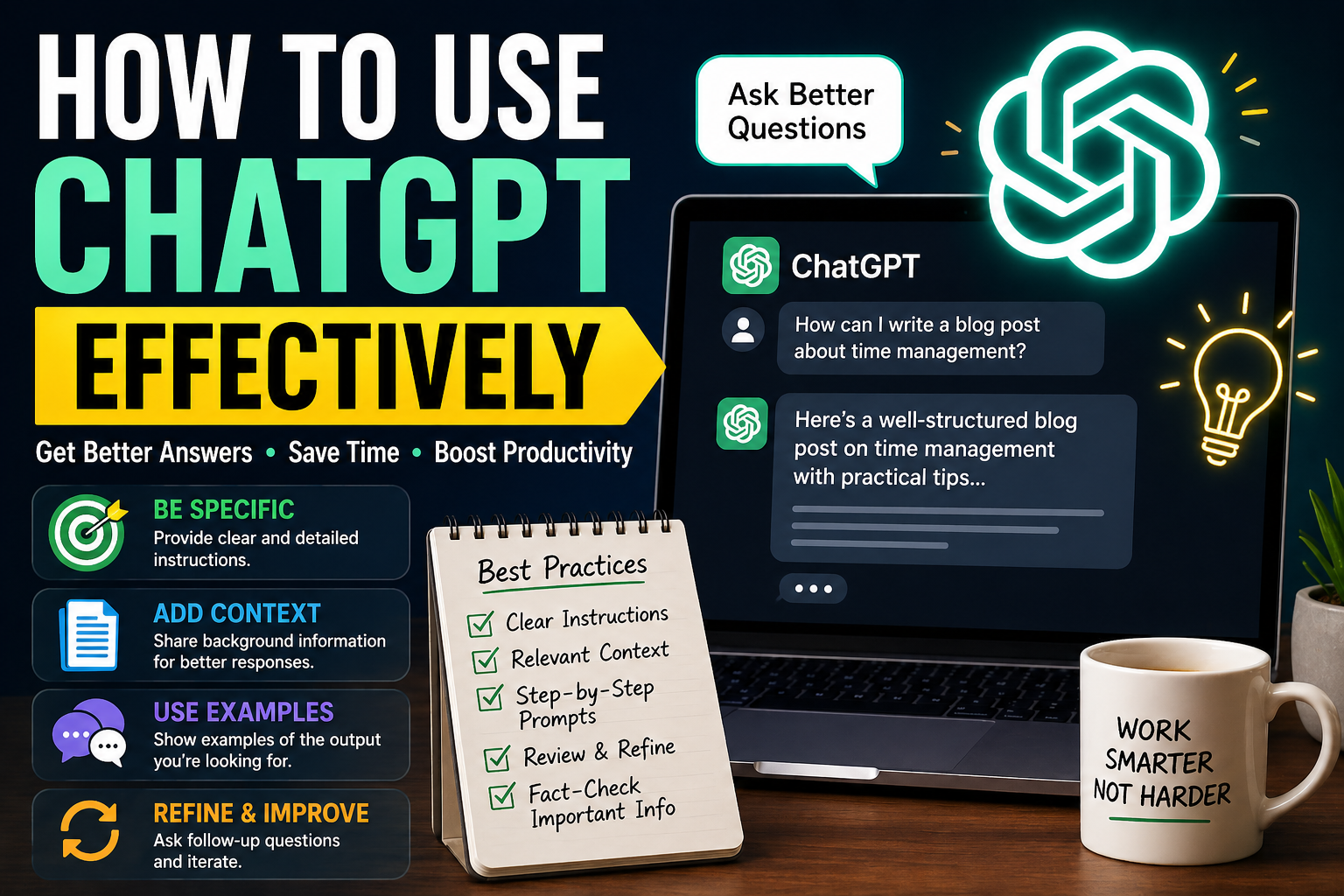
The secret to using ChatGPT effectively lies in prompt engineering. A prompt is simply what you type into the tool, but the way you phrase it can dramatically change the output. Instead of saying “write an article,” try something like: “Write a 1500-word SEO-optimized article about digital marketing for beginners in a conversational tone.”
See the difference? The second prompt gives clear direction, making it easier for ChatGPT to deliver exactly what you need. Always include details like tone, length, format, and purpose.
Adding context is like giving ChatGPT a map. The more context you provide, the better the results. For example, instead of asking for “Instagram captions,” specify your niche, audience, and goal.
You can also provide examples. If you want a certain writing style, paste a sample and ask ChatGPT to follow it. This approach significantly improves output quality and saves time on revisions.
Structuring Your Requests
Breaking down your request into steps can lead to better results. Instead of asking for everything at once, guide ChatGPT through the process.
For example:
- Ask for an outline
- Review and adjust
- Ask for full content
This method gives you more control and ensures the final output meets your expectations. It’s like building a house—you don’t start with the roof; you start with the foundation.
Role-Based Prompts
One powerful technique is assigning a role. For example:
- “Act as an SEO expert…”
- “Act as a business consultant…”
This helps ChatGPT tailor its responses based on that perspective. It adds depth and professionalism to the output, making it more useful and relevant.
Using ChatGPT for Content Creation
ChatGPT is a game-changer for content creators. You can generate blog posts, outlines, headlines, and even meta descriptions in minutes. It’s especially useful for SEO because it can help structure content with keywords, headings, and readability in mind.
However, don’t rely on it blindly. Use it as a starting point, then edit and refine the content to match your voice and brand. This combination of AI speed and human creativity produces the best results.
Social Media and Marketing
If you’re managing social media, ChatGPT can save you hours every week. It can create captions, hashtags, ad copy, and even content calendars. You just need to define your audience and goals.
For example, you can ask: “Create 10 engaging Facebook post ideas for a fitness brand targeting beginners.” The results are often surprisingly creative and practical.
Using ChatGPT for Business Productivity
Writing professional emails can be time-consuming, especially if you want to sound clear and persuasive. ChatGPT can draft emails for different situations—sales outreach, customer support, follow-ups, and more.
You can also adjust tone easily. Want something formal? Casual? Friendly? Just mention it in your prompt.
Research and Data Analysis
ChatGPT can summarize complex topics and break them into simple explanations. While it’s not a replacement for deep research, it’s a great starting point. You can quickly understand a topic before diving deeper.
It’s like having a research assistant who gives you a quick overview before you do the heavy lifting.
Improving Accuracy and Quality
Even though ChatGPT is powerful, you should always verify important information. Cross-check data with reliable sources, especially when accuracy matters.
Treat ChatGPT as a helper, not a final authority.
Iterative Prompting Techniques
Great results rarely come from a single prompt. Instead, refine your requests step by step. Ask follow-up questions, request revisions, and adjust details.
For example:
- “Make it more engaging”
- “Simplify the language”
- “Add examples”
This iterative process helps you fine-tune the output until it’s exactly what you need.
Advanced Tips for Power Users
Prompt chaining means linking multiple prompts together to complete complex tasks. For example, you can:
- Generate ideas
- Turn ideas into outlines
- Expand into full content
This method is highly effective for large projects like blogs, ebooks, or marketing campaigns.
Custom Workflows
You can create your own workflow using ChatGPT. For example, a content creator might use it for:
- Keyword research
- Outline creation
- Draft writing
- Editing
By repeating this process, you build a system that saves time and improves consistency.
Common Mistakes to Avoid
Many users don’t get the best results because they make simple mistakes:
- Writing vague prompts
- Not providing enough context
- Expecting perfect answers instantly
- Skipping fact-checking
- Overusing AI without human editing
Avoiding these mistakes can instantly improve your experience.
Future of AI Productivity Tools
AI tools like ChatGPT are evolving rapidly. They’re becoming smarter, faster, and more integrated into daily workflows. In the near future, using AI effectively will be a key skill, just like using a computer or smartphone today.
Those who learn how to use these tools now will have a significant advantage. It’s not about replacing human skills—it’s about enhancing them.
Conclusion
Learning how to use ChatGPT effectively can transform the way you work, create, and communicate. From writing content to managing tasks and generating ideas, it’s a powerful tool that can boost productivity and creativity. The key is to use it strategically—write better prompts, provide context, and refine your results. When you combine AI efficiency with human judgment, the possibilities are endless.
FAQs
1. What is the best way to use ChatGPT?
Use clear, detailed prompts and refine results through follow-up questions.
2. Can ChatGPT replace human work?
No, it enhances productivity but still requires human input and editing.
3. Is ChatGPT good for SEO content?
Yes, it helps with structure, keywords, and content ideas.
4. How do I get better answers from ChatGPT?
Provide context, examples, and specific instructions.
5. Is ChatGPT free to use?
There are both free and paid versions with different features.